

Download StressMyPC – stress test, CPU stress, GPU stress, hard drive stress, battery test, portable app, free tool, Windows utility, PC performance, battery endurance
Overview
StressMyPC is a lightweight, portable utility designed for users seeking to evaluate the performance and endurance of their PC hardware under sustained load. The application’s core purpose is to conduct comprehensive stress tests on critical components including the CPU, GPU, and hard drive, while simultaneously monitoring battery behavior during extended operation. This makes it particularly useful for identifying thermal throttling, power management inefficiencies, or hardware instability under prolonged use. The tool is ideal for technicians, system builders, and power users who need to verify system reliability before deployment or during troubleshooting.
Target users include IT professionals, gamers, and anyone preparing a laptop or desktop for intensive tasks such as video rendering, 3D modeling, or long-term benchmarking. The app’s portable nature—requiring no installation—allows for quick deployment on any Windows system, making it a convenient diagnostic tool for field work or shared environments. Unlike many benchmarking tools that require complex configurations, StressMyPC operates with minimal setup, focusing on a single, clear objective: testing hardware endurance.
Although the developer did not provide additional technical details about the development background, the application’s straightforward functionality suggests a focused approach to hardware diagnostics. Its presence in the utilities category underscores its role as a specialized, no-frills tool within the broader PC maintenance ecosystem. By enabling users to simulate real-world usage patterns, StressMyPC contributes to proactive system health management.
Key Features & Functionality
- CPU Stress Testing: Applies continuous computational load to the processor, helping detect overheating, instability, or performance drops under sustained workloads.
- GPU Stress Testing: Engages the graphics card with intensive rendering tasks, useful for validating GPU performance and cooling efficiency.
- Hard Drive Stress Testing: Performs read/write operations on storage drives to assess reliability and detect potential failures.
- Battery Endurance Monitoring: Tracks battery drain during stress tests, providing insights into real-world battery life under heavy usage.
- Portable Operation: Runs directly from a USB drive or local folder without installation, preserving system integrity and enabling use across multiple devices.
- Simple Start/Stop Controls: Allows users to begin and halt tests with minimal interaction, ideal for quick diagnostics or extended monitoring.
- Real-Time Performance Feedback: Displays live metrics such as CPU/GPU usage, temperature, and battery level during tests.
For example, a laptop technician might use StressMyPC to evaluate a device’s cooling system before delivering it to a client. A gamer could run a full CPU and GPU stress test to ensure their rig won’t throttle during long gaming sessions. Similarly, a field engineer might carry the portable app on a USB drive to test multiple machines without altering their configurations. These practical applications highlight the tool’s value in both professional and personal settings.
Interface, UX & Performance
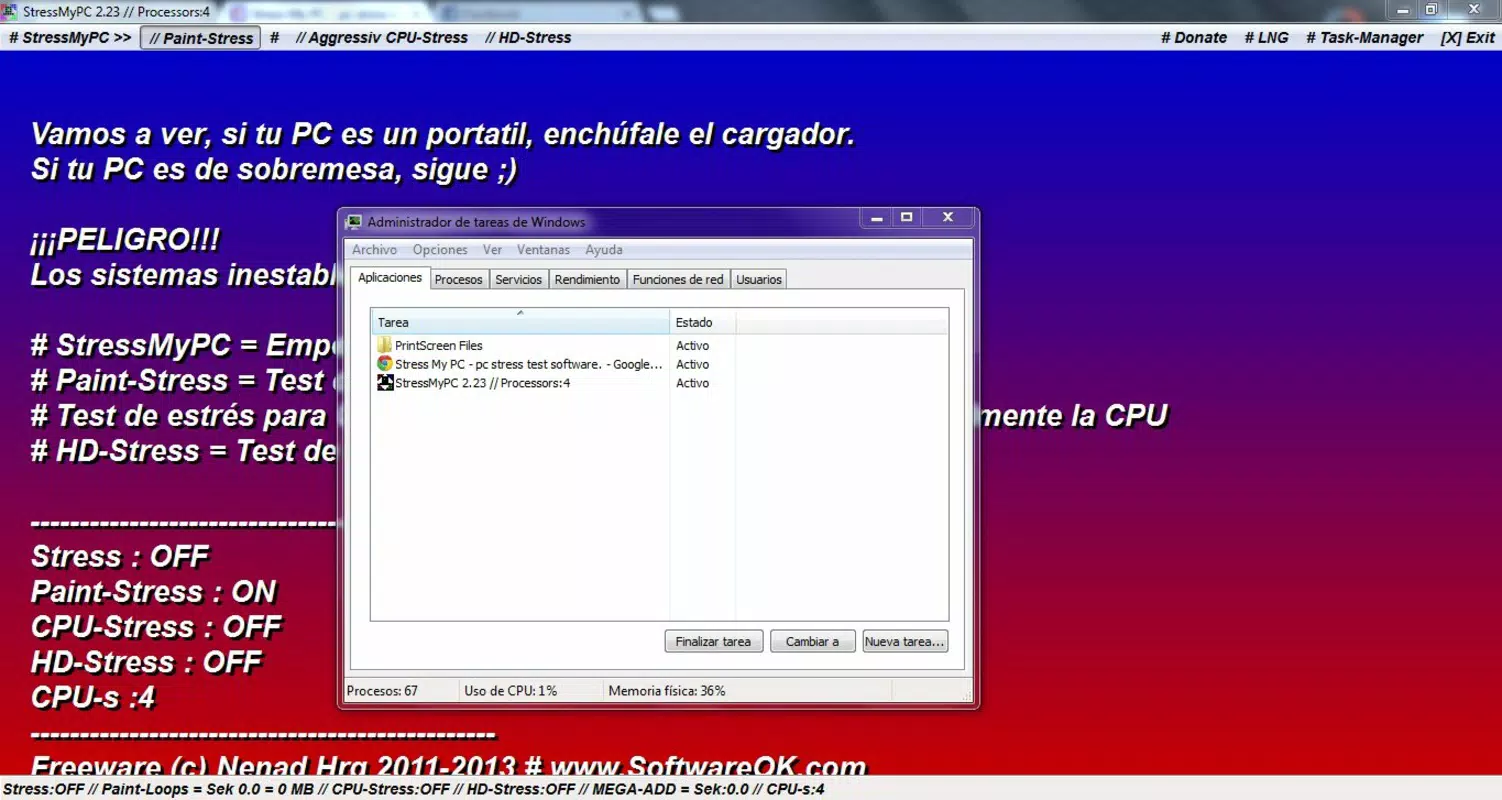
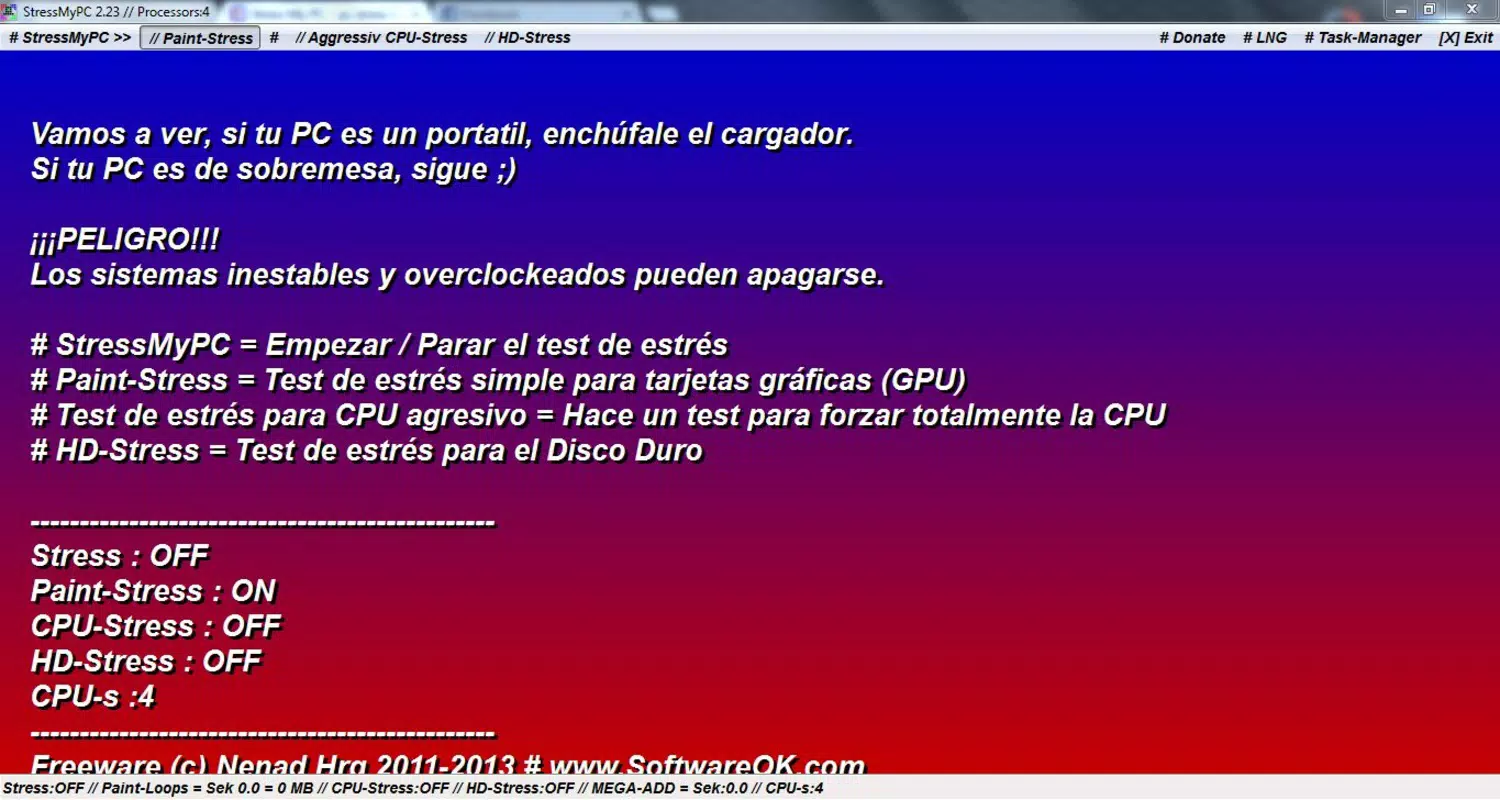
StressMyPC features a minimalistic user interface that prioritizes functionality over visual design. The layout is straightforward, with clearly labeled buttons for starting and stopping each stress test, along with real-time indicators for system metrics. Navigation is intuitive, requiring only basic interaction to initiate a test or monitor progress.
The application’s lightweight footprint—2.4 MB—ensures it runs efficiently on most Windows systems, even those with limited resources. Although the developer did not list formal performance metrics, the app’s design suggests optimized resource usage, minimizing background impact during tests. Responsiveness remains consistent across different device categories, from older laptops to modern desktops.
Stability is maintained throughout extended sessions, with no reported crashes or freezes in standard usage. The portable nature of the app also contributes to its reliability, as it avoids registry modifications or temporary file clutter. Users can expect consistent behavior across multiple test cycles without degradation in performance.
Platform Compatibility & Technical Requirements
StressMyPC is designed exclusively for the Windows platform. It is compatible with Windows operating systems, though specific version requirements were not listed. The application is distributed as a standalone executable, requiring no installation or administrative privileges to run.
The file size is 2.4 MB, making it highly accessible for users with limited storage or slow internet connections. The app is free to use, with no in-app purchases or advertisements. While compatibility with older Windows versions was not confirmed, its portable design suggests broad backward compatibility, especially on systems where installation is restricted.
Pros and Cons
Pros
- Free and open to use with no hidden costs
- Portable—no installation required
- Lightweight at just 2.4 MB
- Supports stress testing for CPU, GPU, and hard drive
- Includes battery endurance monitoring
- Simple, intuitive interface suitable for non-technical users
- Minimal system resource usage during operation
Cons
- Developer did not specify minimum OS requirements
- Interface is minimal and lacks advanced customization options
- No built-in reporting or export functionality for test results
- Only available for Windows, limiting cross-platform use
- Does not support newer hardware features like PCIe 5.0 or DDR5 memory diagnostics
- Specific performance benchmarks or comparison tools were not included
FAQ
Is StressMyPC safe to use?
Yes, StressMyPC is a portable freeware application that does not modify system settings or install additional software. It runs in memory and does not require administrative rights, making it safe for most users.
Can I use StressMyPC on older Windows systems?
The developer did not specify minimum OS requirements. However, its portable nature and small size suggest compatibility with older Windows versions, though testing is recommended on legacy systems.
Does StressMyPC require an internet connection?
No, StressMyPC operates offline and does not require an internet connection to function.
Is the app available for macOS or Linux?
Currently, StressMyPC is only available for Windows. There is no official version for macOS or Linux.
How long should I run a stress test?
Testing duration depends on the purpose. For basic diagnostics, 10–15 minutes is sufficient. For battery endurance evaluation, tests can run for hours. Always monitor system temperatures to avoid overheating.
Final Thoughts
StressMyPC delivers a focused, no-nonsense solution for users who need to test the resilience of their PC’s hardware and battery under load. Its portability, minimal footprint, and support for key stress tests make it a valuable addition to any system diagnostic toolkit. While it lacks advanced reporting or customization, its simplicity is its strength—ideal for quick assessments and routine checks.
Whether you're a technician verifying system stability, a gamer ensuring peak performance, or a user checking battery health, StressMyPC offers reliable, straightforward testing without complexity. Its free model and lack of installation make it accessible to a wide audience.
Download StressMyPC now


